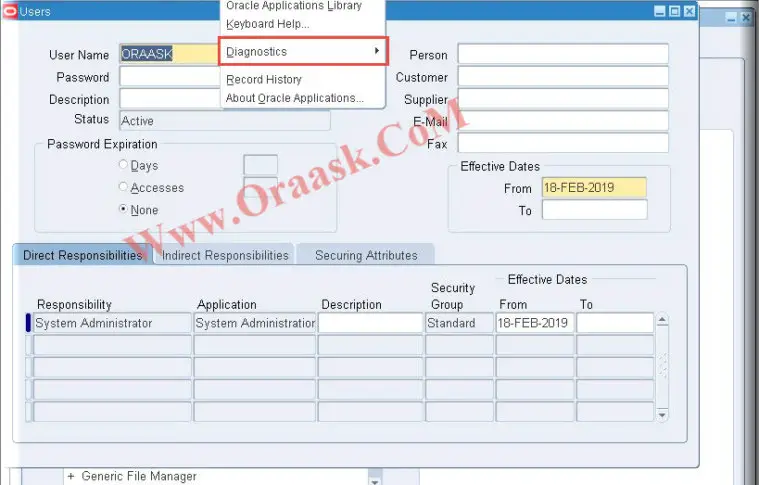
To enable Diagnostics in Oracle apps , for certain users you need to follow these simple steps:
Step 1 :
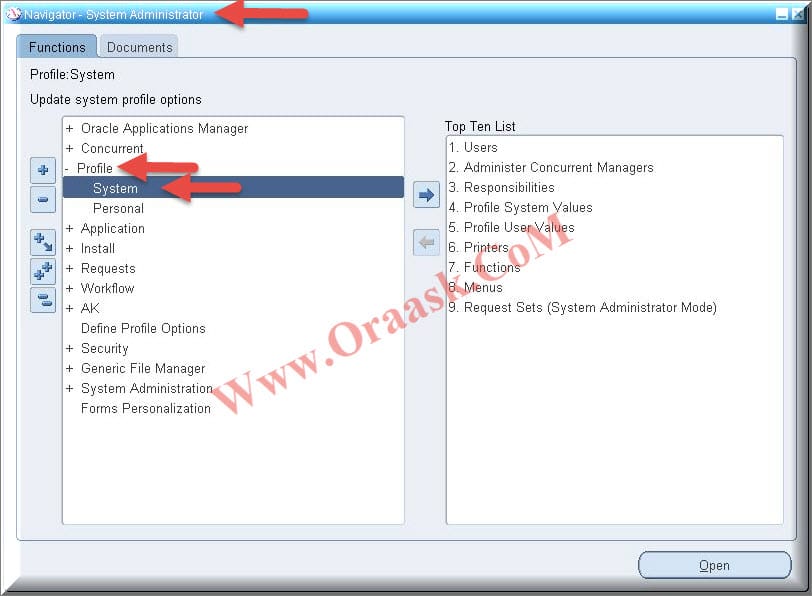
Navigate to System Administrator responsibility ==> Profile ==> System ==>
Step 2 :
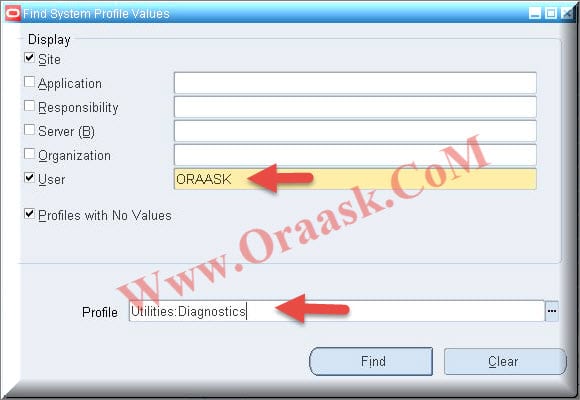
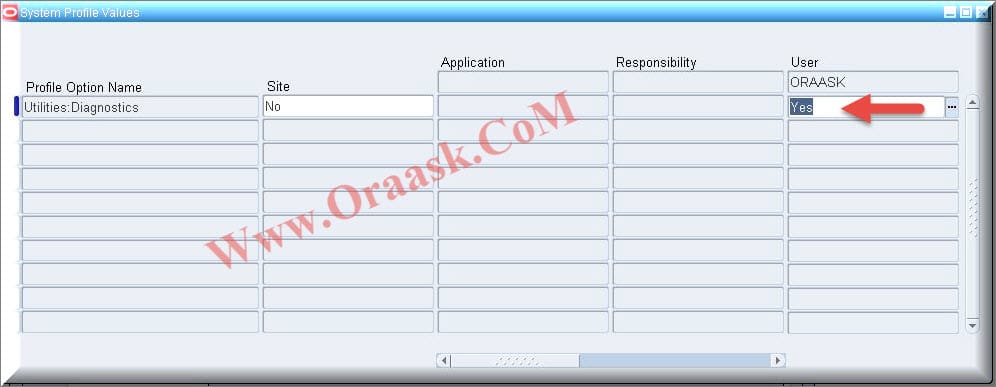
Enter profile name: Utilities:Diagnostics
Enter Application User for whom you want to enable Diagnostics
Step 3 :
Choose “Yes” at User level and Save the Changes
Note :
You can set Yes at Site level also if you want to enable this option for all Oracle application users
Step 4 :
After that navigate to System Administrator responsibility ==> Profile ==> System ==>
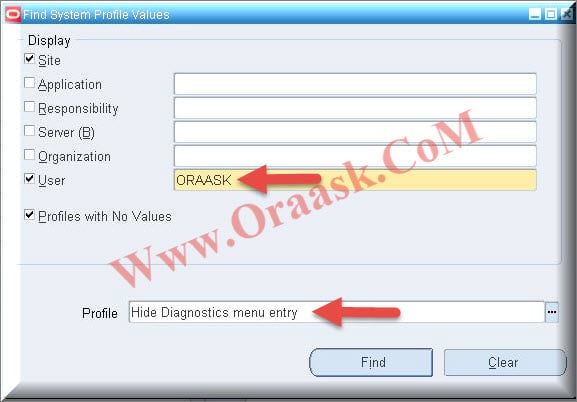
Enter profile name: Hide Diagnostics menu entry
Enter Application User for whom you do not want to hide Diagnostics menu entry
Step 5 :
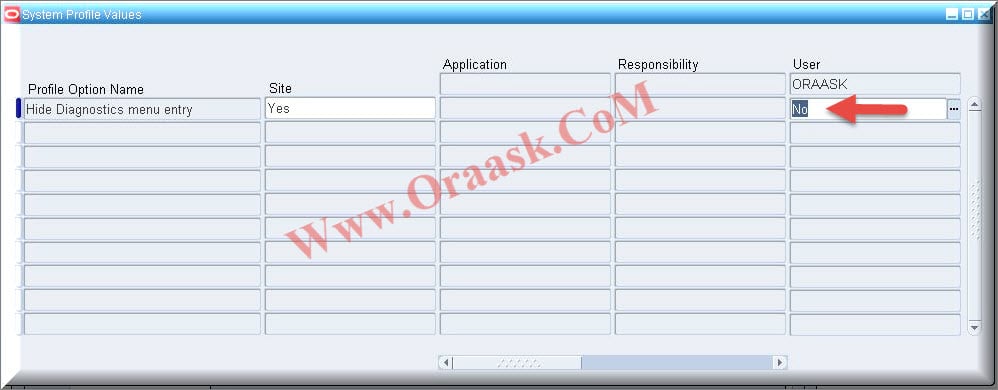
Choose “No” at User level and Save the Changes like below screen.
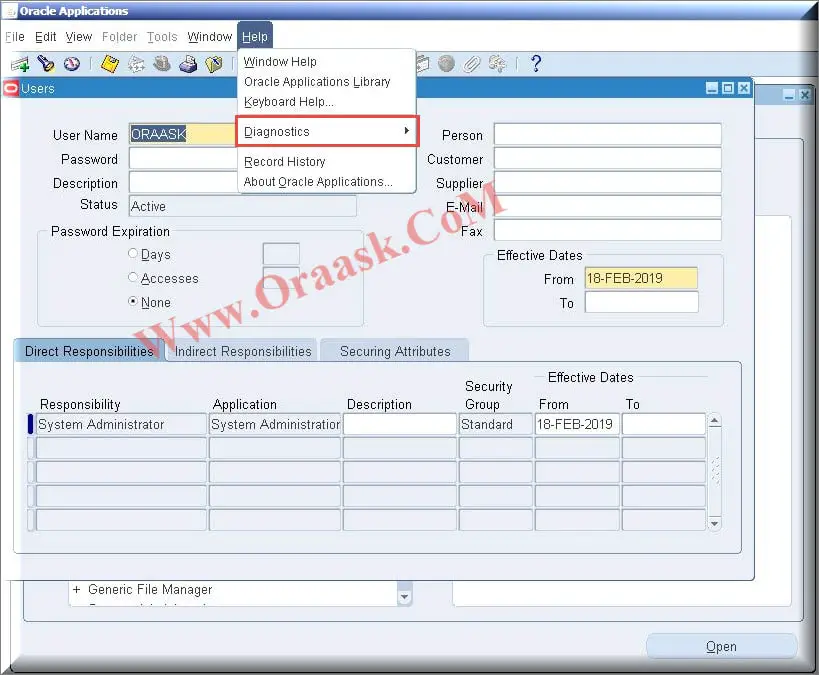
Congratulations you have successfully enabled Diagnostics like below screen
Hope this help.